Moving away from the time-consuming process of weeding heat transfer vinyl (HTV) is the key to scaling your garment decoration business. For 2026 Leavers Hoodies, the gold standard for high-volume orders—especially school leavers’ hoodies—is the use of screen-printed heat transfers.
This guide covers everything you need to know to maximize efficiency and profit using the latest heat press techniques and tools.
Why Ditch HTV for 2026 Leavers Hoodies?
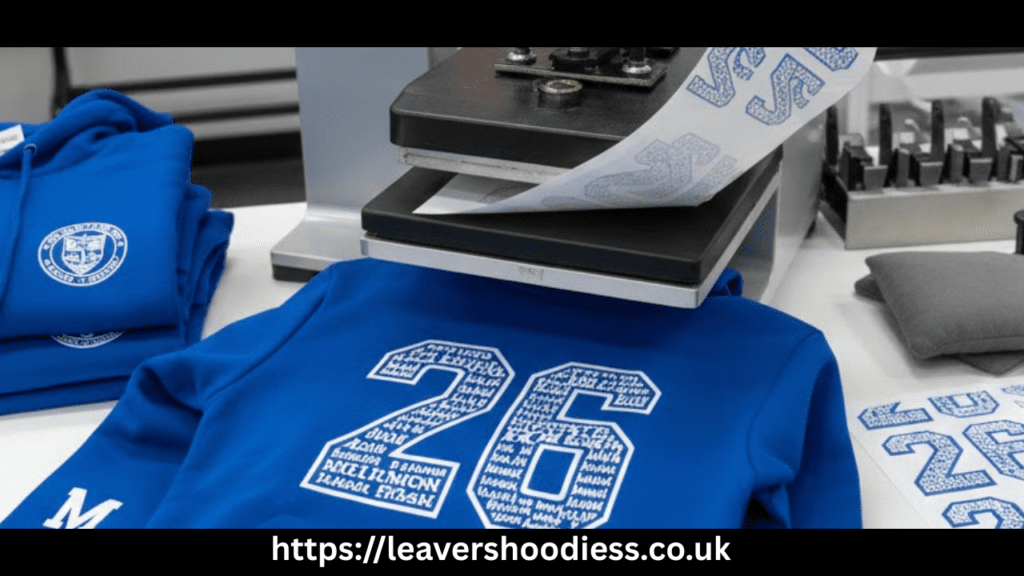
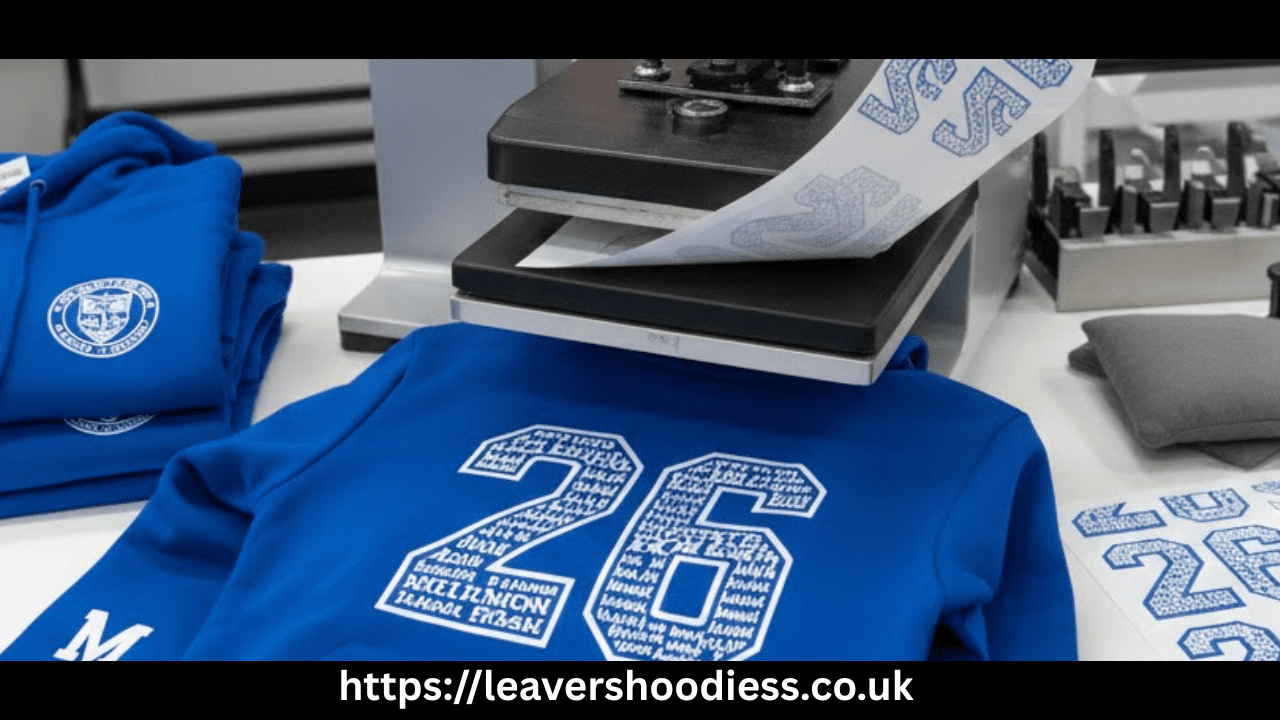
Traditionally, leavers’ designs involve dozens of small names inside a large year digit (e.g., “26”). Using HTV for this is:
- Unprofitable: The weeding process eats up hours of labor.
- Tedious: It is prone to errors and physical fatigue.
- Inconsistent: Small details in names often fail to weed or adhere correctly.
The Solution: Screen Printed Transfers. These transfers use real plastisol inks but are delivered on a carrier sheet. You simply upload your artwork, receive the ready-to-press transfers, and apply them in seconds.
Essential Equipment for 2026 Leavers Hoodies: The Pro’s Toolkit
To achieve retail-quality results, your setup should focus on accuracy and repeatability.
1. The Heat Press (Hotronics Fusion IQ)
A high-quality press with “the brain” allows you to store “recipes” (time, temp, and pressure settings) for specific garments. Key features for high-volume work include:
- Threadability: The ability to slide a garment onto the lower platen so only one layer is being pressed.
- Dual Timers: Automatically switches between a 5-second pre-press and a 10-second main application.
- Pressure Readout: Ensures you are consistently hitting the “Medium” sweet spot (4–6 on the digital scale).
2. Interchangeable Platens vs. Heat Print Pillows
To avoid “box marks” and uneven pressure caused by seams, pockets, or hoods, you must isolate the print area.
| Tool | Best Use Case | Benefit |
| Small Platens (10×10) | Neck labels and sleeve prints. | Total isolation from zippers/hoods. |
| Sleeve/Leg Platen | Long-arm branding. | Perfectly flat surface for narrow areas. |
| Heat Print Pillows | Front chest prints with pockets. | Pockets “sink” into the pillow, evening out pressure. |
Step-by-Step Application Mastery for 2026 Leavers Hoodies
The Back Print (The Main Event)
- Thread the Hoodie: Slide the hoodie onto the platen so the back layer is isolated.
- The Pre-Press (5 Seconds): This removes moisture and wrinkles while allowing you to verify pressure.
- Center the Design: Fold the carrier sheet (without touching the ink) to find the center point.
- Placement Tip: Ensure the design is low enough that the hood doesn’t cover the school names when worn down.
- The Main Press (10 Seconds): Use a release paper over the design to protect the heating element.
- The Cold Peel: Screen-printed transfers must be completely cold before peeling. Removing it while hot will ruin the print.
Increasing Profit with Multi-Placement
Don’t stop at the back print. You can significantly increase your margins by offering:
- School Badge (Left Chest): Use a heat print pillow to avoid the kangaroo pocket seams.
- Personalization: Add student initials on the chest or sleeve using “gang sheets” of letters.
- Custom Neck Labels: Tear out the manufacturer tag and press your own branding and size info using a 10×10 platen.
Troubleshooting & Pro Tips for successful 2026 Leavers Hoodies Printing
- Avoid Scorching: If you see “box marks,” your pressure is likely too high (above 6). Aim for a 4 or 5. For heat-sensitive colors like red, wait 24 hours; marks often disappear as the fabric cools.
- Testing Pressure: Always test pressure with the pillow or platen already in place, but before you put the actual garment under the heat.
- Production Workflow: Don’t do one hoodie at a time. Do all back prints first, then swap platens to do all front badges, then all neck labels. This minimizes machine adjustment time.
- The “Confidence Peel”: When peeling cold transfers, pull in one smooth, confident motion. Stopping halfway can create a visible line in the ink.
Part 1: High-Volume Production Checklist
Follow these steps to maximize your hourly output.
Phase 1: Preparation (Before the Press is Hot)
- [ ] Sort by Size: Organize hoodies by size (XS to XXL) to make neck-labeling easier.
- [ ] Cut & Sort Transfers: Separate your back transfers, front badges, and any initials/personalization from gang sheets.
- [ ] The “Recipe” Check: Set your press to 160°C. Ensure your dual timers are set 5s pre-press / 10s main press).
Phase 2: The Back Prints (Main Platen)
- [ ] Thread the Garment: One layer only on the platen.
- [ ] Pre-press & Pressure Check: Aim for a “Medium” (4-6) readout.
- [ ] Align & Press: Apply back transfer.
- [ ] Cooling Station: Place the hoodie on a flat, cool surface (remember: Cold Peel only).
Phase 3: The Detail Work (Switch Platens/Pillows)
- [ ] Switch to Small Platen/Pillow: For front chests or sleeves.
- [ ] Batch All Fronts: Run through the entire stack applying school badges.
- [ ] Batch All Personalization: Apply initials or sleeve names.
- [ ] Final Batch (Neck Labels): Use the 10 \times 10 platen to add your branding.
Phase 4: The Final Peel
- [ ] The “Confidence Peel”: Go back to the first cooled hoodie and peel all locations in one smooth motion.
Part 2: Tiered Pricing Strategy
The key to profit is upselling “Placements.” Since you are already handling the garment, adding a second or third press takes seconds but adds significant retail value.
| Package Tier | Features | Suggested Mark-up (above cost) |
| Standard | Back Print Only (Names in Year) | Base Price (e.g., £25) |
| Premium | Back Print + School Badge (Front) | Base + £3.50 |
| Personalized | Back + Badge + Student Initials | Base + £6.00 |
| The “Pro” Pack | Back + Badge + Initials + Sleeve Print | Base + £8.50 |
Pro Tip: Include the Custom Neck Label for free on “Personalized” and “Pro” packs. It costs you pennies but builds your brand for the next year’s class.